


From Idea to Opening Night: Unit & Daily Lesson Plans for a Classroom Puppet Play
Updated: May 5
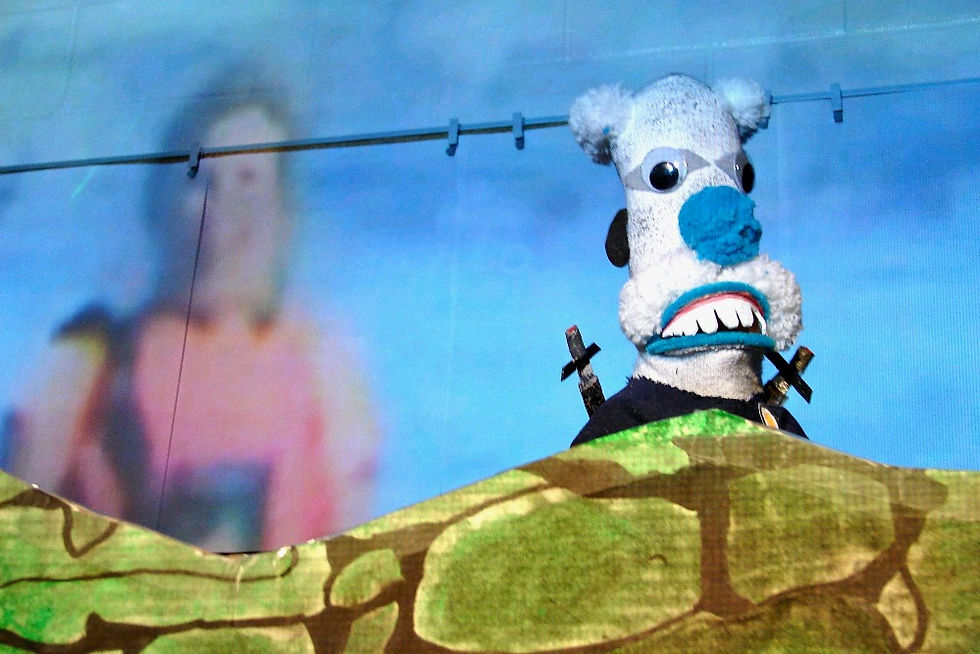
A puppet play is one of the most powerful EPBL (Entrepreneurial Project-Based Learning) experiences a classroom can undertake. It combines storytelling, collaboration, design, performance, and real-world planning — all while hitting dozens of curriculum outcomes. This guide walks teachers through a complete Unit Plan and a sample week of Daily Lesson Plans to bring a puppet show to life.
UNIT PLAN: Our Classroom Puppet Play
Unit Overview
Grade Level: Adaptable for Grades 2–6
Duration: 4–6 weeks
Central Theme: Storytelling, Collaboration & Community
SWAY Pillars Activated: All three — WAY Game (Play), SMART Digital Lesson Planning (Learn), EPBL (Earn)
Authentic Audience: Parents, school community, or a younger class
Big Idea (Central Theme)
"Every story has a hero, a challenge, and a lesson. What story does our class want to tell the world?"
Essential Questions
How do we communicate ideas through storytelling?
What does it take to plan and execute a real performance?
How can our work make a difference in our school community?
Curriculum Connections
Language Arts: Writing (script), oral communication (performance), reading (research)
Visual Art: Puppet design, set construction, poster creation
Drama: Voice, movement, character development
Math: Budgeting, ticket pricing, counting proceeds
Social Studies / Health: Teamwork, community, empathy through story themes
Unit Phases
Phase 1 — IMAGINE (Week 1): Spark the Idea
Brainstorm story themes as a class using the WAY Game's 'Big Idea' card
Vote on a theme (e.g., kindness, courage, the environment)
Introduce business roles: Director, Writers, Designers, Marketers, Stage Crew
Students record their role and goals in their CAP Notebook
Phase 2 — PLAN (Week 2): Build the Blueprint
Writers draft the script (beginning, middle, end structure)
Designers sketch puppet characters and set design
Marketers create a show poster and invitation for parents
Teacher creates a SMART Unit Plan using the W5 framework and shares it digitally
Phase 3 — CREATE (Weeks 3–4): Make It Real
Build puppets using recycled and craft materials
Rehearse scenes; use WAY Game 'Encourager' role to build confidence
Finalize script, add narration, sound effects, and music
Set up ticket sales or donation box for the EPBL fundraising component
Phase 4 — PERFORM & REFLECT (Weeks 5–6): Opening Night & Beyond
Perform the puppet show for the authentic audience
Count and celebrate proceeds; decide as a class how to use the funds
Students complete a CAP Notebook reflection: What did I Capture? Apply? Present?
Teacher completes a SWAY Reflection Rubric for the unit
SAMPLE DAILY LESSON PLANS — Week 2: Build the Blueprint
Monday — Lesson: Story Structure & Script Writing
Objective: Students will identify the three-part story structure and begin drafting their puppet play script.
Warm-Up (10 min): WAY Game — 'Story Starter' card. Each team adds one sentence to a shared story.
Direct Instruction (15 min): Review beginning-middle-end using a mentor text. Model a simple script format.
Work Period (25 min): Writing teams draft Scene 1. Teacher conferences with groups.
Closing (10 min): Groups share one line from their script. CAP Notebook entry: 'What is our story about?'
Tuesday — Lesson: Character Design & Puppet Sketching
Objective: Students will design their puppet characters with visual details that reflect personality and story role.
Warm-Up (10 min): WAY Game — 'Describe Your Character' challenge. Students use adjectives to describe a mystery character.
Direct Instruction (10 min): Discuss how visual design communicates character traits. Show examples.
Work Period (30 min): Design teams sketch puppet characters. Writers annotate with character traits.
Closing (10 min): Gallery walk — students leave sticky note feedback on each other's designs.
Wednesday — Lesson: Marketing & Audience Awareness
Objective: Students will create a show poster that communicates key information to their target audience.
Warm-Up (10 min): WAY Game — 'Sell It!' card. Teams have 30 seconds to 'sell' a random object.
Direct Instruction (15 min): Analyze real event posters. Identify: title, date, time, place, hook.
Work Period (25 min): Marketing team designs the show poster. Other teams continue script/design work.
Closing (10 min): Share posters. Class votes on the most effective design element.
Thursday — Lesson: Budget Planning & Math in the Real World
Objective: Students will create a simple budget for the puppet show, identifying costs and potential revenue.
Warm-Up (10 min): WAY Game — 'Money Math' challenge card. Quick mental math warm-up.
Direct Instruction (15 min): Introduce income vs. expenses. Model a simple budget template.
Work Period (25 min): Finance team builds the show budget. Class discusses ticket pricing strategy.
Closing (10 min): Finance team presents the budget. Class approves or adjusts.
Friday — Lesson: Team Check-In & Week Reflection
Objective: Students will assess team progress, celebrate wins, and set goals for next week.
Warm-Up (10 min): WAY Game — 'Shout-Out' round. Each student gives a compliment to a teammate.
Team Check-In (20 min): Each team reports: What did we accomplish? What do we still need to do?
CAP Notebook (15 min): Students write: one thing they Captured, one thing they Applied, one thing they want to Present.
Closing (15 min): Teacher shares the plan for Week 3. WAY Game points awarded for the week.
Teacher Tips for Success
Use your SMART Digital Lesson Plan template to map each day's lesson to specific curriculum outcomes before the week begins.
Keep the WAY Game running throughout the unit — it maintains energy, accountability, and joy.
Invite parents early. A parent volunteer can be a game-changer for the build and performance phases.
Document everything in CAP Notebooks — these become powerful portfolio evidence and celebration tools.
This content was generated by AI.
This content was generated by AI. And it continues to blow my mind. These posts were generated automatically by AI. I don't remember telling AI to write and post Blogs that supported the tasks I created for our Study Buddy. Graphics were also AI-generated, not from nothing, but what I have put into it over the years.


Comments